Fewer interruptions
Routine answers, around the clock
Visitors get answers any time, from the business information you approve.

Questions about your services, hours and policies shouldn't keep pulling you away from your work. Assist answers those routine questions on your website from the information you approve — and when it doesn't know, it says so instead of guessing.
Connect your website and Xorventa installs the chat window for you, with no developer. Live in about 15 minutes — and you can try your first chat window free for 30 days.
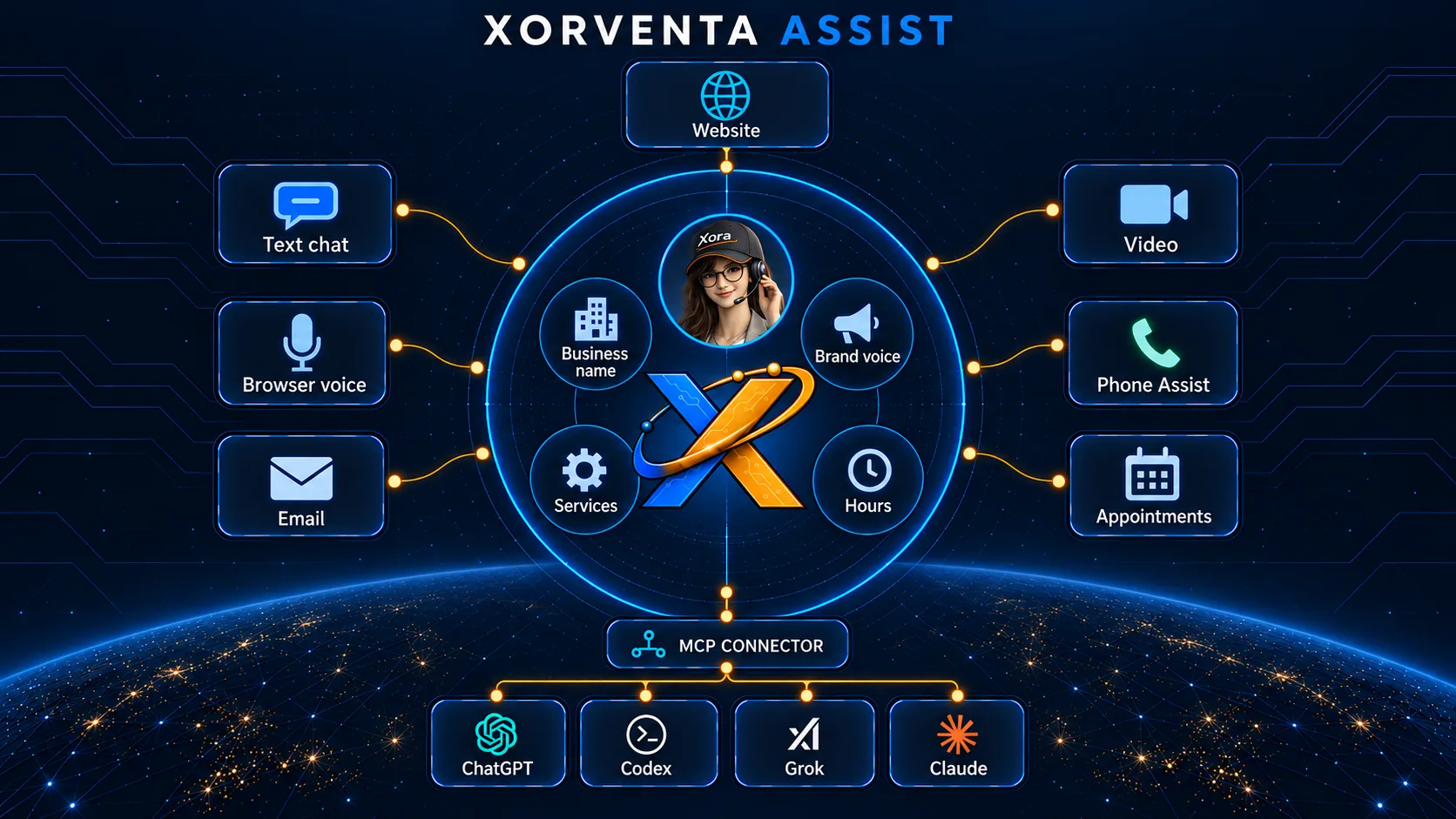
Assist answers your website visitors from your Business Facts — the business information you review and approve once, which Xorventa uses across its AI products: business name, services, hours and brand voice. Visitors reach it by text chat or browser voice, and Email & Appointments and Phone Assist carry the same answers to your inbox, your calendar and your phone.
“Is there a free trial?”
From the information you approve — 30 days free with no credit card, and how to sign up. When something is not covered, it says so instead of guessing.
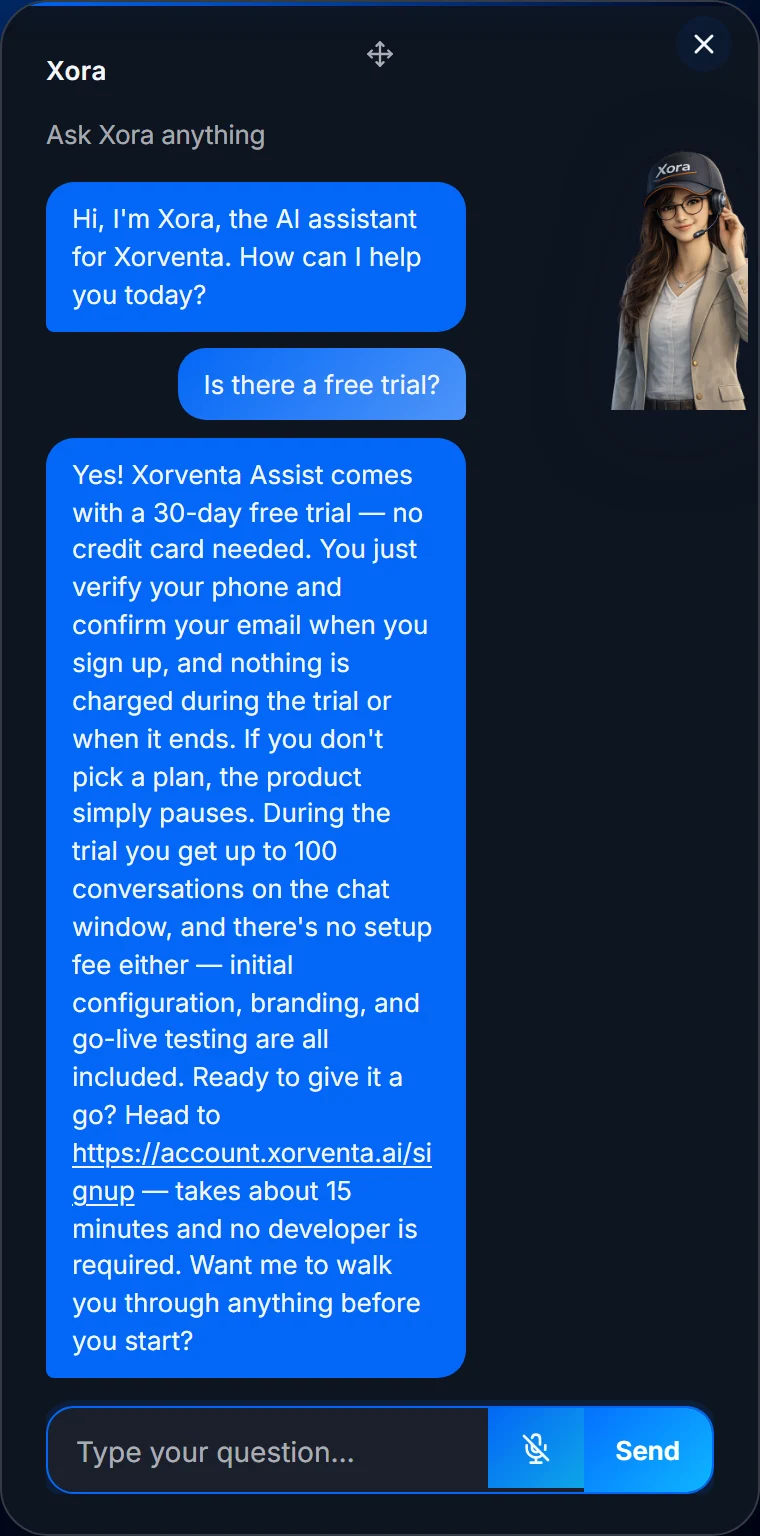
Visitors get answers any time, from the business information you approve.
Replies are based on the information you approve, and stay in context across a back-and-forth.
Your name, logo, colors, greeting and chat style.
Your first chat window includes a 30-day free trial, once per customer — or what is left of a free trial you started on another product. No setup fee. Above 3,000 conversations/month is custom-priced. Annual is 10 times the monthly price — two months free. Email & Appointments has no free trial. Want Assist, Social and SEO working together? Xorventa Persona is the complete package.
or $390/year
or $990/year
or $3,990/year
In your account area, ask Xora by typing or speaking. Your approved business information guides her answers and your permissions control her actions — she asks for confirmation before anything goes out, and purchases and billing stay with you.
“Change my greeting to mention weekend hours.”
Shows the change and asks you to confirm. The permission must be switched on first.
Permitted setting updated — and she tells you whether it worked, rather than leaving you to assume.
Illustrative example.
Add Assist with Voice and visitors can talk or type to the same branded assistant — real-time voice in the browser on supported browsers. Browser voice uses no phone line; phone answering is Phone Assist, below. Ten languages, detected and switched mid-conversation: English, Spanish, French, German, Italian, Portuguese, Dutch, Hindi, Russian and Japanese. You can optionally clone a voice you own, and the assistant always discloses that the voice is AI. From $99/mo.
Connect up to five mailboxes — Microsoft 365 work or school, or Gmail — and one calendar, Microsoft 365 or Google. Xora drafts or auto-sends replies grounded in the business information you approve, and books appointments in your chat window and from email threads, re-checking your live calendar the moment before it books. Every invite carries an online meeting link where the calendar supports one — Teams on Microsoft 365, Google Meet on Google — titled with what the visitor says the meeting is about. Gmail is answered from copies Gmail forwards to a private Xorventa address, and her replies go out from your own Gmail. When she cannot answer from your approved information she sends the acknowledgement you set and leaves the message for you, and sensitive topics are always held for you. You choose per mailbox: answer automatically, draft for your approval, or off. Requires an Assist subscription. $49/mo or $490/yr (annual is ten times monthly), with no free trial.
Get a phone number in the area code you choose, answered by the same assistant as your website — from the same business information you approve, with the same honest decline when it does not cover the question. When a caller asks for a person, she says so and puts them through to whatever number you set; if nobody picks up, the caller is told rather than left in silence. You write what she says when she answers and what she says as she hands a caller over. Callers are always told they are speaking to an AI assistant and that the call is transcribed. No Assist subscription needed — with a chat window it answers from that window's knowledge, otherwise from your approved Business Facts. $25 one-time setup, then $49/mo or $490/yr including 500 minutes, $0.15 per minute after that — going over never switches your line off. Phone Assist is paid from the start — there is no free trial, because the number and every call cost from day one. Your number is configured within 24–48 hours of purchase.
For a more tailored on-screen presence, add a video assistant scoped to your brand and use case. It answers from the same approved business information as the rest of Assist. This is a scoped, by-appointment setup arranged with our team — not a self-serve trial tier. From $999 setup + $499/mo.
Point Xorventa at your website and it collects your business information from your pages, FAQs, pricing and policies. You can also upload PDFs, documents or plain text.
Xorventa configures your branded assistant from that information and authorizes your website so the chat window is allowed to load on your domain. You review it before it goes live.
Connect your Wix, WordPress, Webflow or Shopify website and Xorventa installs the chat window for you, showing you any step only you can take and checking the live page afterwards. On any other platform, paste the one-line snippet, or use an inline container for an embedded panel.
One script tag works on WordPress, Shopify, Squarespace, Wix, custom HTML, React, and other common website platforms.
| Live voice capacity | Voice runs on real-time infrastructure, so there is a finite number of simultaneous calls. If every line is in use, the visitor is told straight away and offered text chat instead — never dropped into a degraded call, and calls already in progress are never disturbed. |
| Bot name | Shown in the chat window header and used by the assistant. |
| Greeting | Opening message shown when the chat window opens. |
| Accent color | Used for the floating chat bubble, welcome buttons, top accent line, send button, and accents. |
| Bubble color | Used for the visitor message bubble gradient. |
| Panel background | Solid color or an uploaded image (auto-scaled to fit the panel), with an adjustable translucence slider for how strongly the image shows through. |
| Display style | Floating chat bubble, an inline panel mounted inside a page container, or a floating draggable avatar (for voice). |
Why SMB AI quality depends less on the model than on whether it answers from facts the business has reviewed and approved.
The next quality leap for small-business websites is not another redesign - it is answering visitor questions from approved information.
Try your first chat window free for 30 days. Live in about 15 minutes — no developer required.