Basic
Up to 250 conversations / month
$39/mo
or $429/year

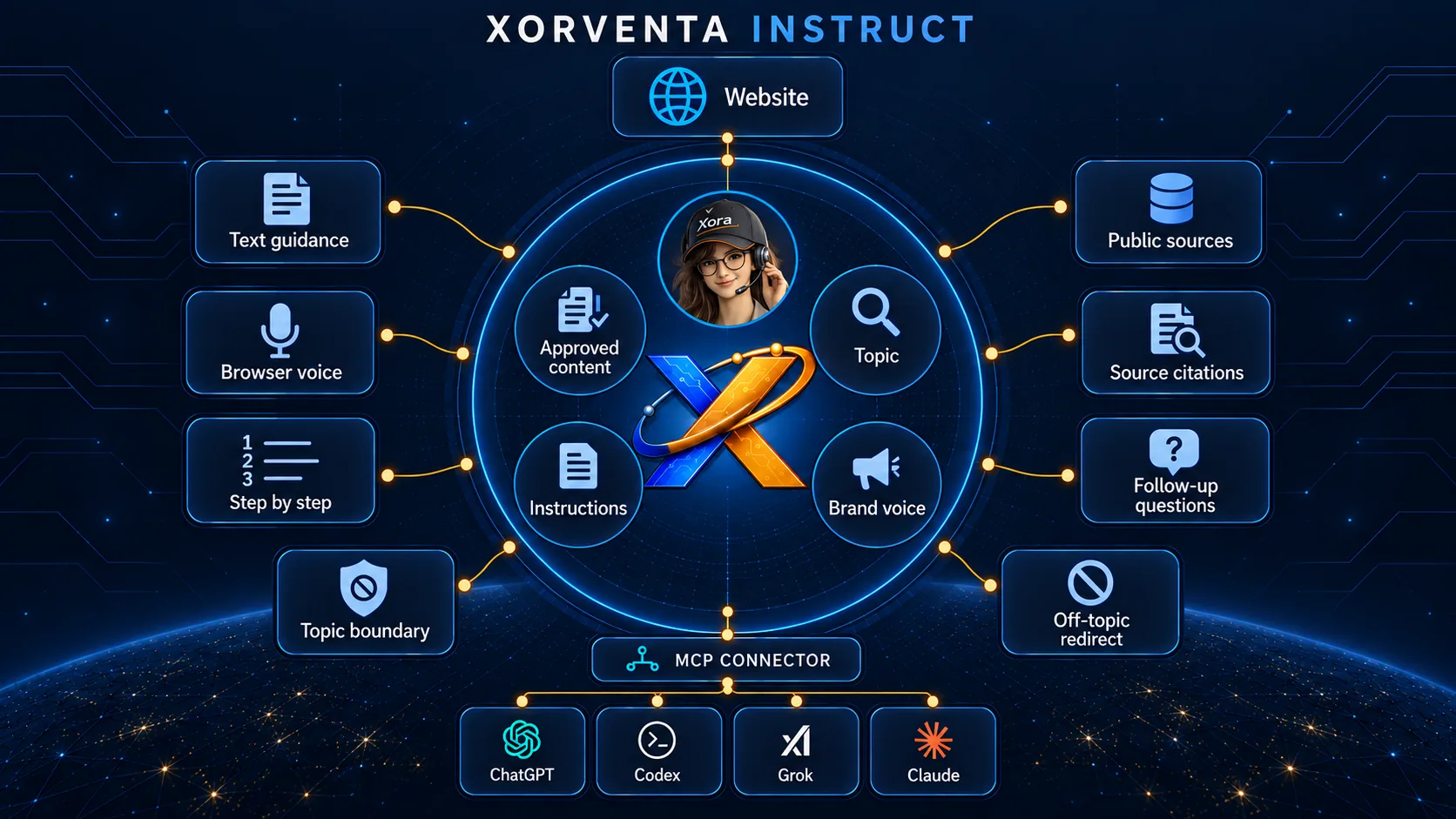
A branded assistant for training, onboarding and guided lessons — clear, patient, step-by-step help that stays inside the topic you set, built on everything in Xorventa Assist.
When your own content doesn't cover an on-topic question, Instruct can look the answer up from reliable public sources, answer, and cite where the answer came from. Off-topic questions are declined, never looked up.
Instruct teaches from the content you approve and your Business Facts — the business information you review and approve once, which Xorventa uses across its AI products, inside the topic you set: step by step, by text or browser voice, with follow-up questions. When your content does not cover an on-topic question it cites reliable public sources; off-topic questions are declined.
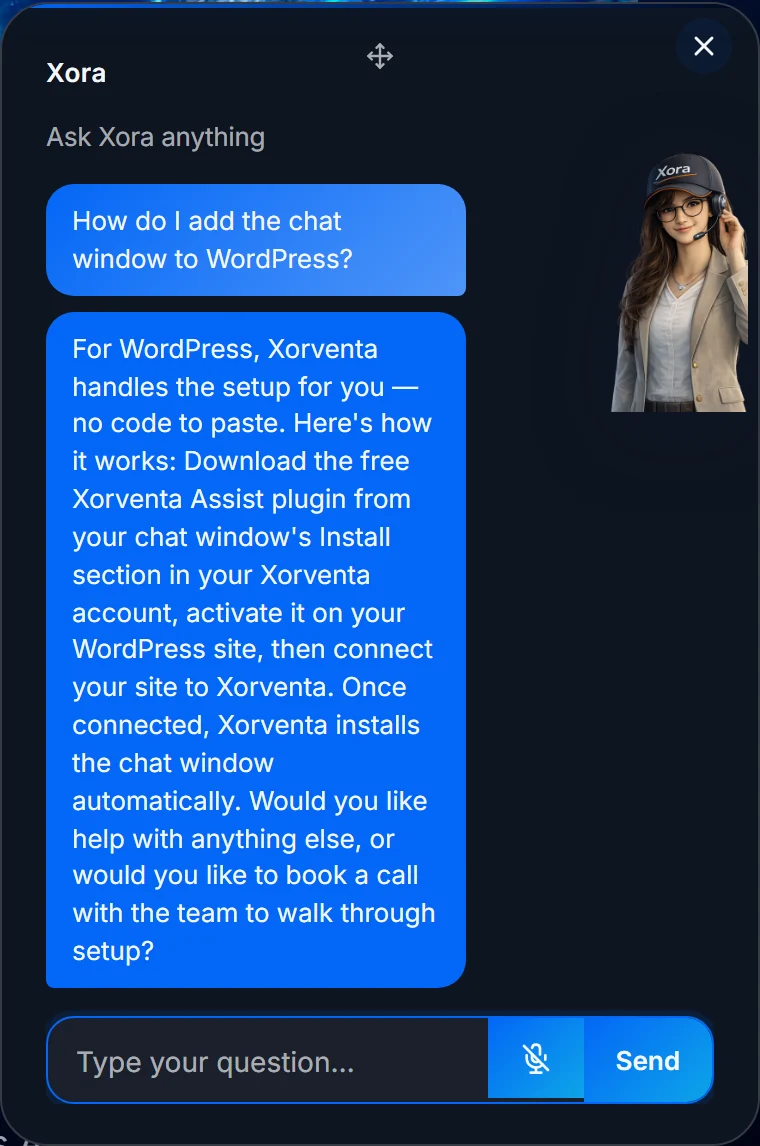
“How do I add the chat window to WordPress?”
A patient, step-by-step explanation from your approved material — the same one every time, however busy your team is.
If the question is on-topic but your material does not cover it, Instruct looks it up from reliable public sources and shows where the answer came from.
Your first chat window includes a 30-day free trial, once per customer — or what is left of a free trial you started on another product. No setup fee. Above 3,000 conversations/month is custom-priced. Annual is 11 months of monthly pricing for 12 months of service.
or $429/year
or $1,089/year
or $4,389/year
or $1,089/year
or $1,969/year
or $5,489/year
Send the guides, FAQs, policies, PDFs, website pages or training material your lessons should come from.
Define the topic Instruct teaches. Xorventa reads your material, configures your branded assistant and authorizes your website so the chat window may load on your domain. You review it before it goes live.
Paste a single script tag for a floating launcher, or use an inline container for an embedded panel.
One script tag works on WordPress, Shopify, Squarespace, Wix, custom HTML, React, and other common website platforms.
| On-topic lookups | When your Business Facts do not cover an on-topic question, the assistant consults reliable public sources and cites them. Off-topic questions are declined, never looked up. |
| Teaching style | A patient, precise style that walks people through the steps and never pushes a sale. |
| Appearance | Name, greeting, accent colour, panel background and display style — a floating launcher, an inline panel, or a draggable avatar for voice. The same controls as Xorventa Assist. |
| Voice & languages | Add real-time voice on supported browsers; the assistant speaks and understands 10 languages and can auto-detect and switch to a visitor’s language mid-conversation. |
| Voice cloning | Optionally clone a voice you own for the spoken assistant; it always discloses the voice is AI. |
For small businesses, AI quality depends on a setup an owner can actually finish and a business can actually trust. What that requires.
Website answers, social posts, SEO work, and instruction all improve when every product draws on one approved business facts layer.
Try your first chat window free for 30 days. Live in about 15 minutes — no developer required.